This free utility software meant for the Windows operating system has been designed to enable quick extraction of passwords for all networks that your computer is connected to.
All you will need to do is –
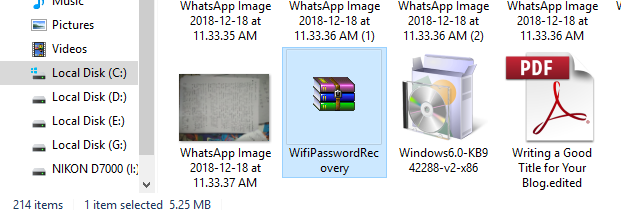
1. Download the WiFi Password Recovery Tool software from the AGRtech website.
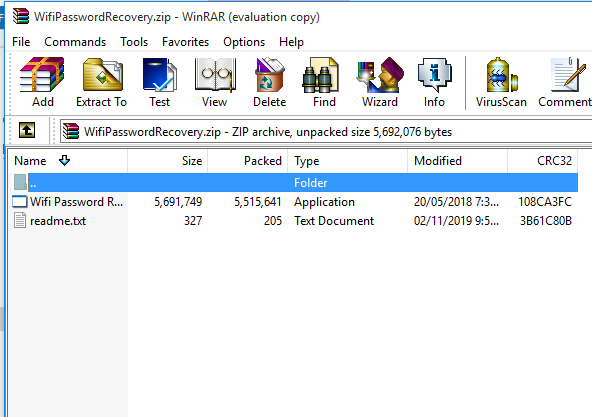
2. After the download is complete, click the downloaded WinRAR zip file to open.
3. The extracted zip file will open, where inside you will find the application.
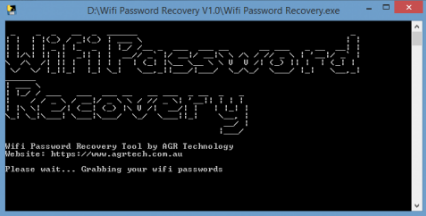
4. Click the application to open.
5. An .exe file will open asking you to wait, while the application grabs the wifi passwords. You will get to see a series of passwords and the respective devices using it.
6. This extracted passwords will get saved in a .txt file that you use for later use. The .txt file will get saved at the WinRaR extracted folder, where you can located the application. It took a little bit of work to realize where the .txt file was getting saved as I had not gone through the instructions first. I feel some improvements would do better here thinking from the user’s ease had the .txt file automatically opened just like the .exe file.
The reason why the .txt file gets stored in the same location as the program is because then it would get easy portable. Users can also run the program from a USB flash drive as well.
The application is compatible with any OS version – Windows XP or higher. So you will not have to worry about upgrading the OS.
The software comes fully covered as per the End User License Agreement. Upon download, it is provided “AS IS” with no warranty, either expressed or implied, including but not limited to, the implied warranties of merchantability and fitness for a particular purpose.
The program is 100 percent free from any malicious code. Hence, while running the app, if it gets blocked by an antivirus program installed on your computer, you can safely ignore it. For added safety, always download the file from the authorized website AGR Technology.
Are you searching for a trustworthy web development company in Kolkata? The good news is…
When someone lands on your website, you’ve got just a few seconds, sometimes less than…
What do Tesla and Nestlé have in common? Well, besides being titans in their respective…
As more businesses embrace GoHighLevel (GHL) to streamline sales, marketing, and automation, the demand for…
The phrase "the last human job" evokes a dystopian future where machines have rendered human…
The first instance of a website dates back to November 1992, just a year after…